Problem
The extract data function that we are using to fetch patients transmissions requires a secure authentication on our website and on Biotronik's website.
This authentication is called "Certificate" which have a limited validity period. The Biotronik certificate is about to expire, it must be renewed.
To do this operation you need your administrator account. The document below is intended to guide you through the process.
How to renew the export certificate on the Biotronik website ?
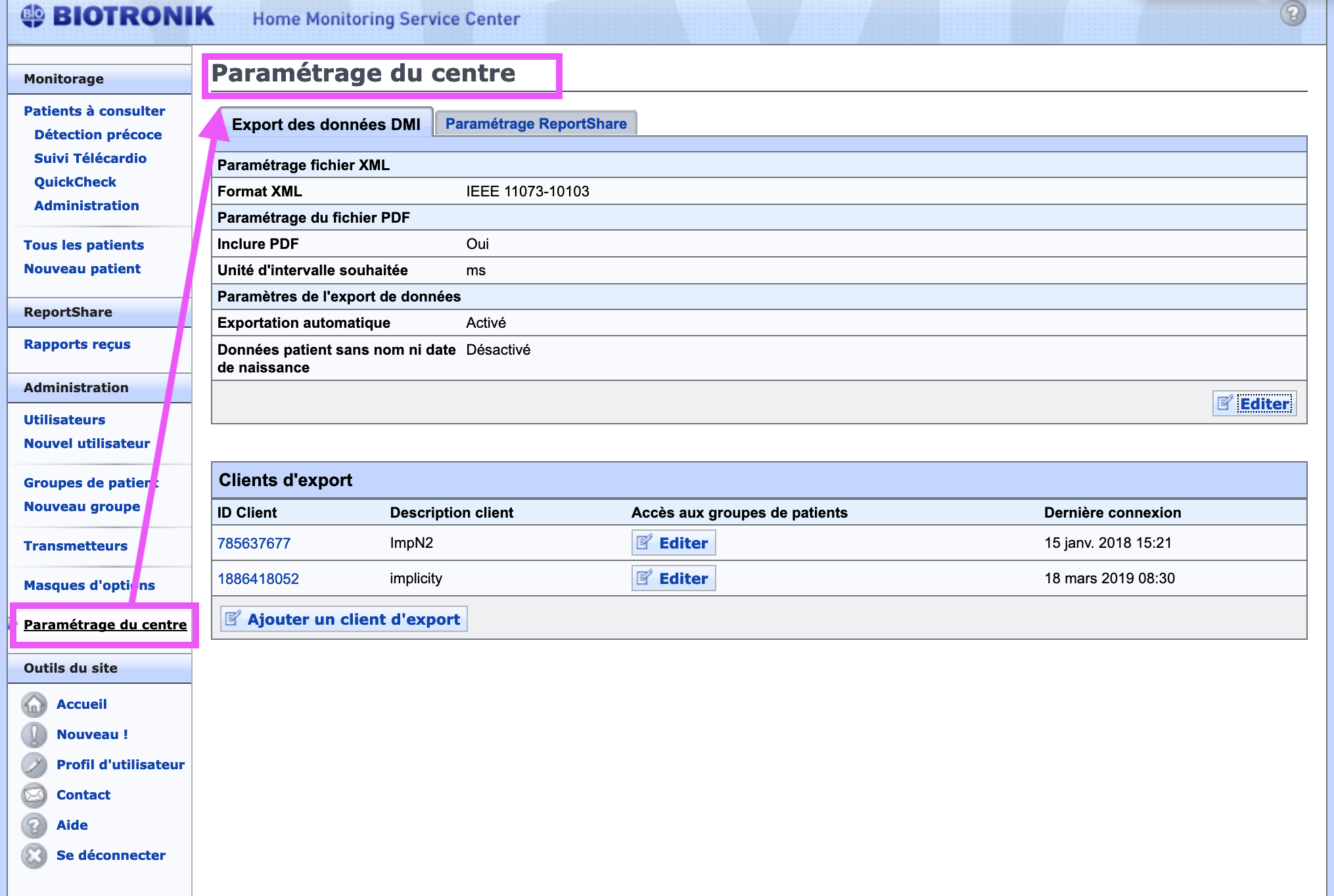
- Click on Center settings
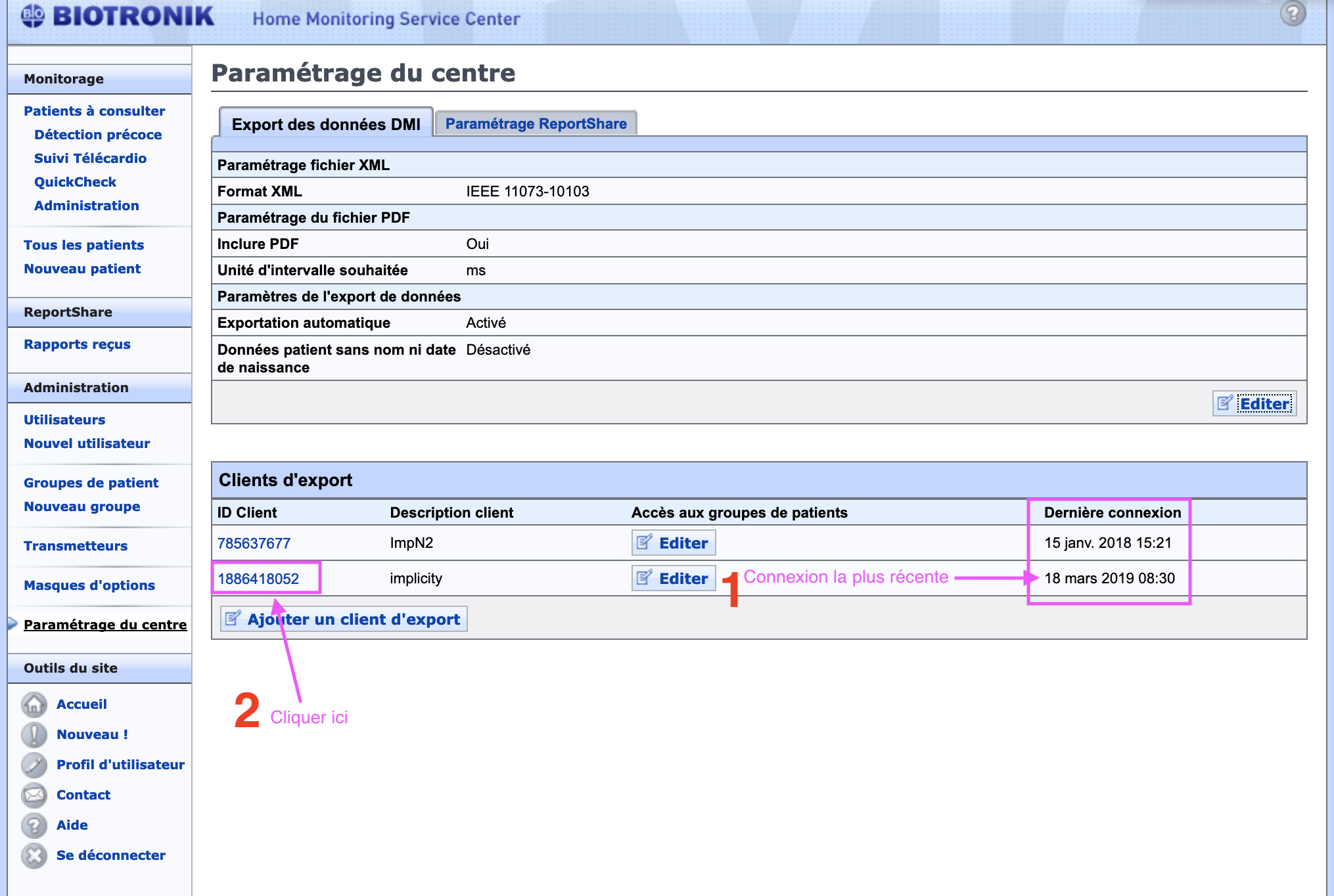
- In the "Client export" list, click on the Implicity client with the most recent connection (if you are not sure, please contact the Implicity customer service).
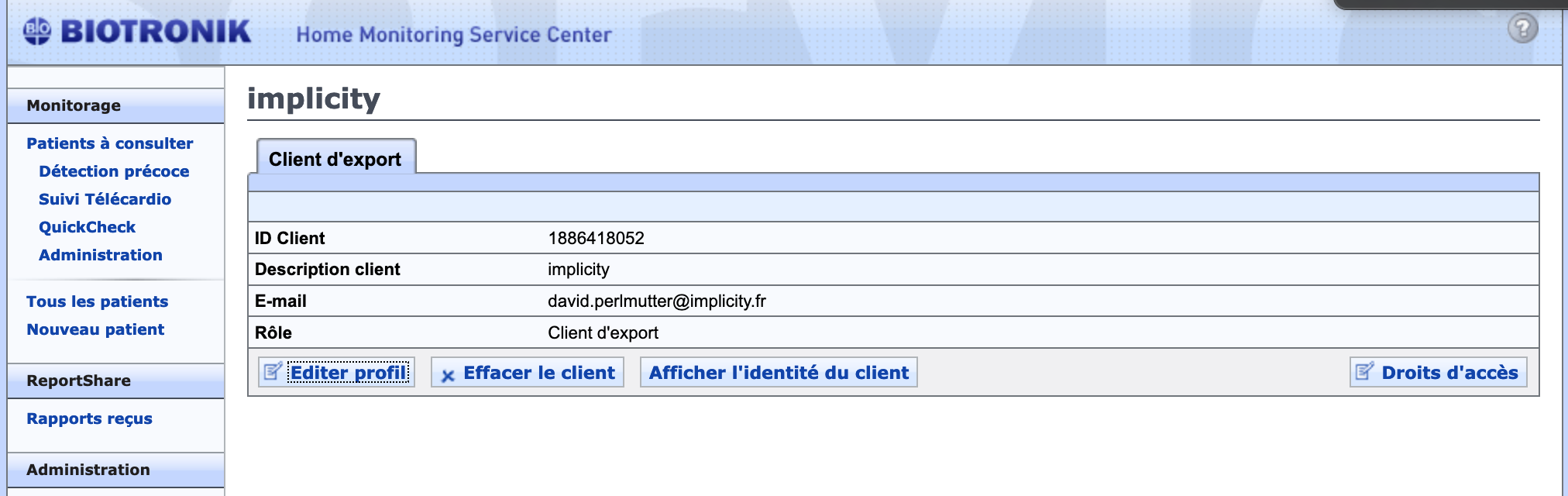
- Click on Display the client's identity
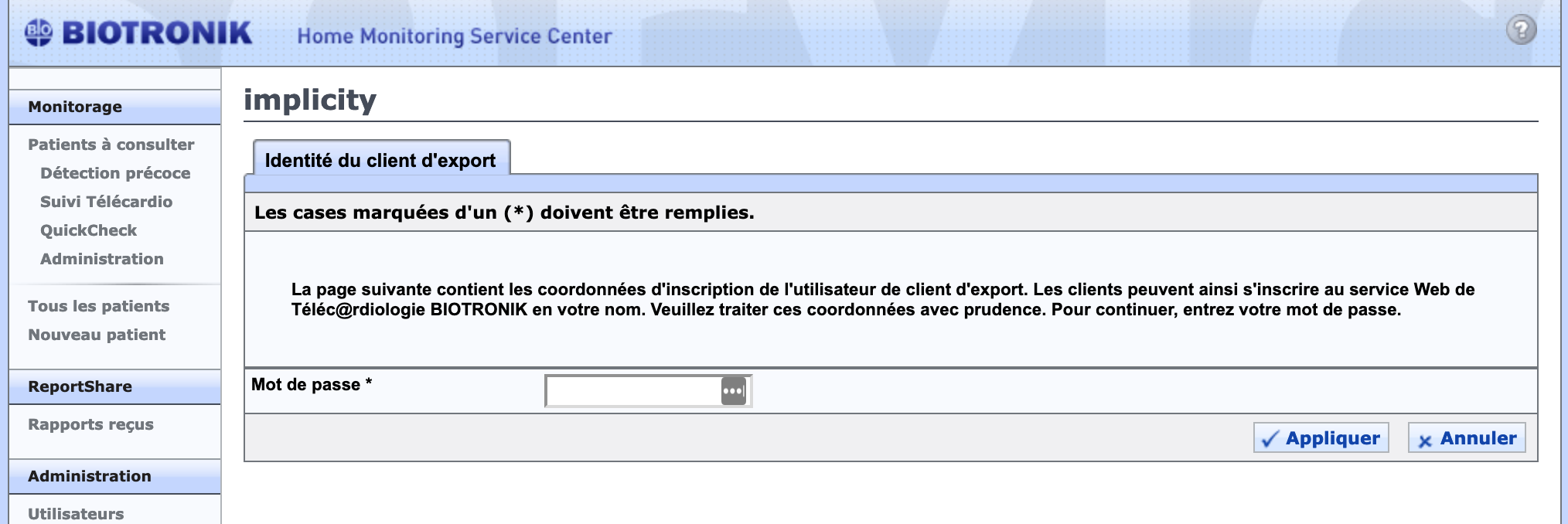
- Enter the administrator account's password
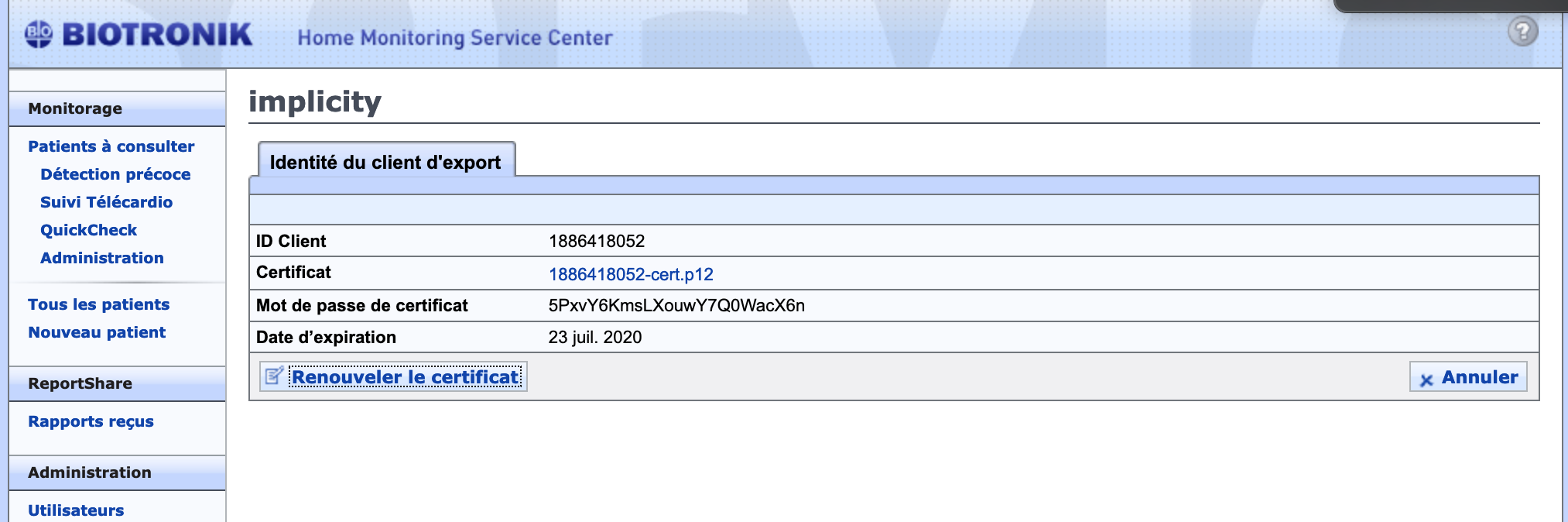
- Click on Renew the certificate
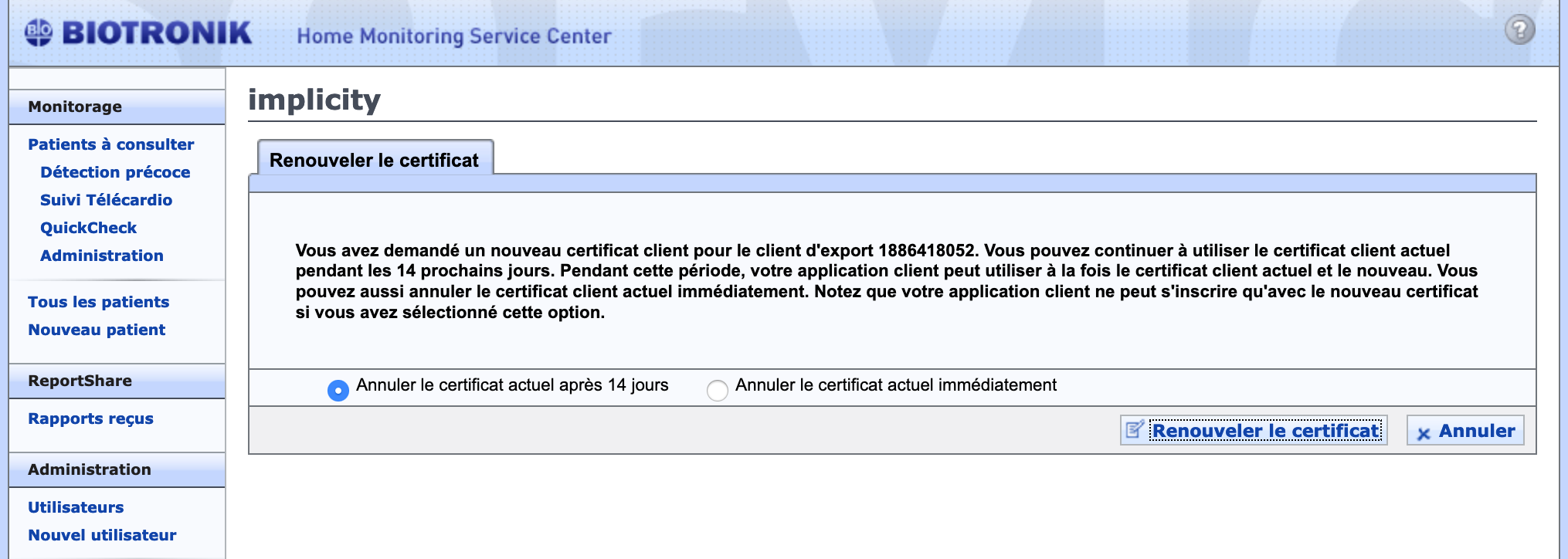
- Select "Cancel the last current certificate after 14 days".
- Enter once again the password for the administrator account
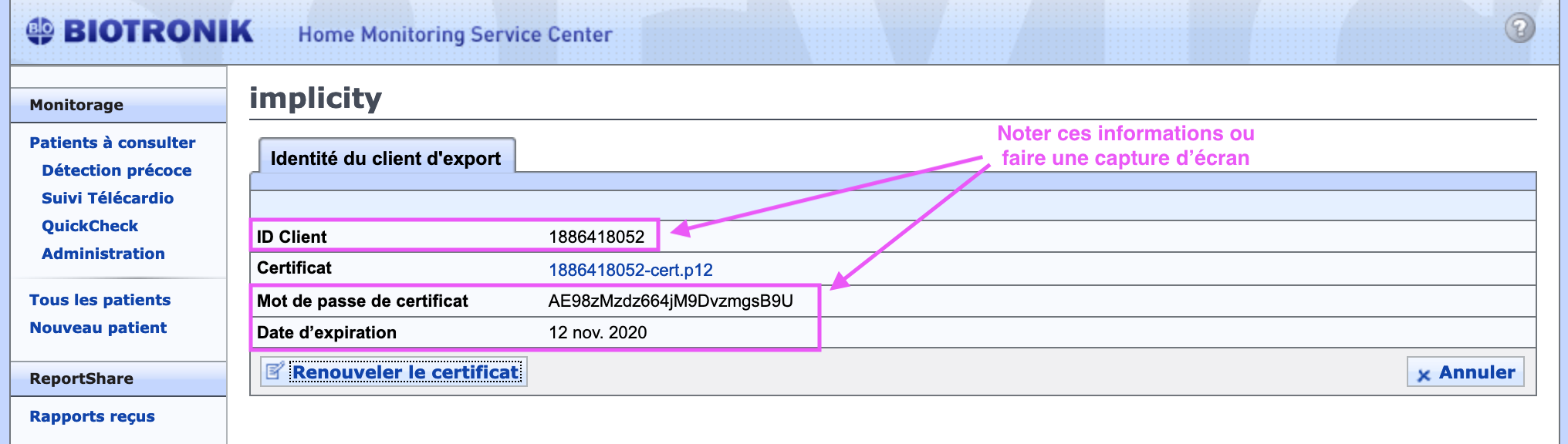
- Do a screenshot or make a note of:
- Client ID
- Password of the certificate
- Expiration date
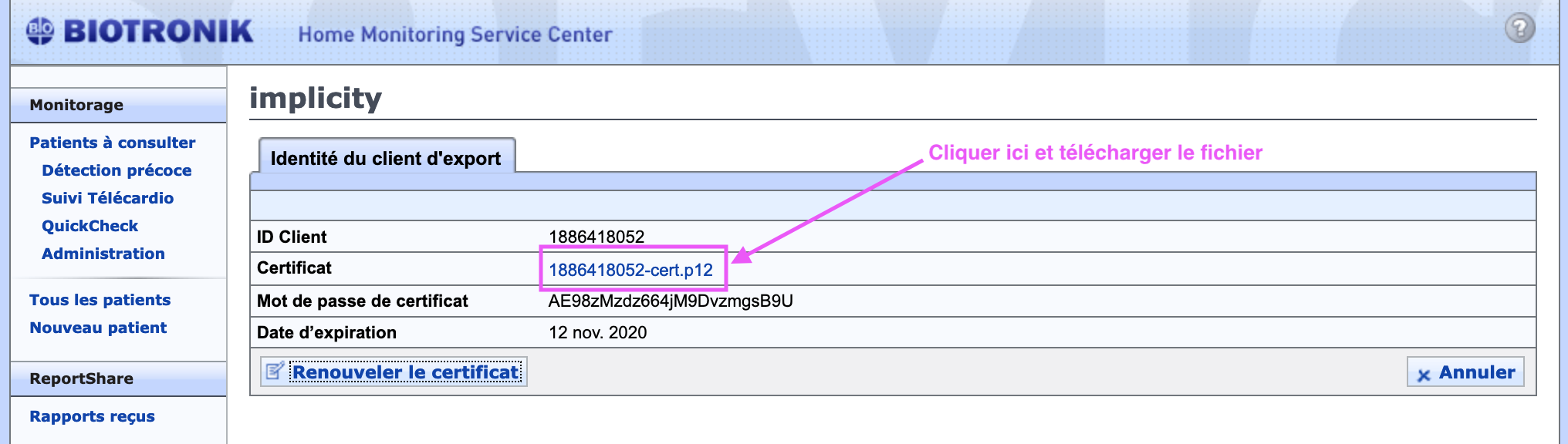
- Click on the link in front of "Certificate"(must end with -cert.p12)
- Download the file
- Send us by chat or email (customer-sucess@implicity.fr)
- The screenshot (or the notes that you have write down).
- The downloaded file ending by -cert.p12.
- Disconnect you from Biotronik, you have nothing more to do. We will confirm you as soon as everything has been done on our side.