Clinical data
This tab allows you to add clinical information about the patient.
In the first field 'History", you can fill in brief infos about the patient's medical history:
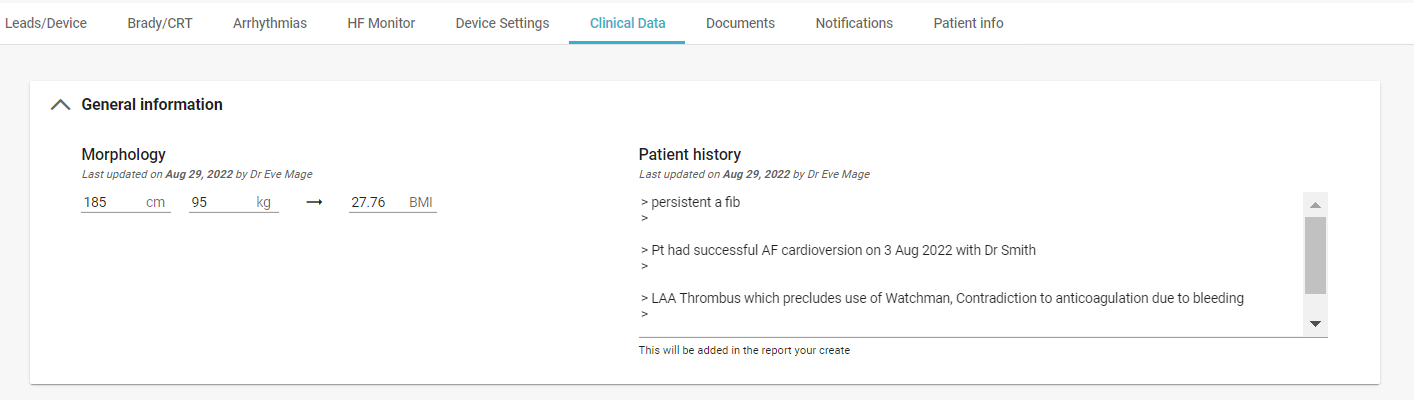
In the second field "Indications", you can fill in information about the implanted device:
- The underlying rhythm, where you can select a value in a dropdown list (AF, sinusal)
- The patient's metrics (weight, height, etc) and his/her Left Ventricular Ejection Fraction
- The treatments (anticoagulant, antiarrhythmics)
- The dependency on the device or not

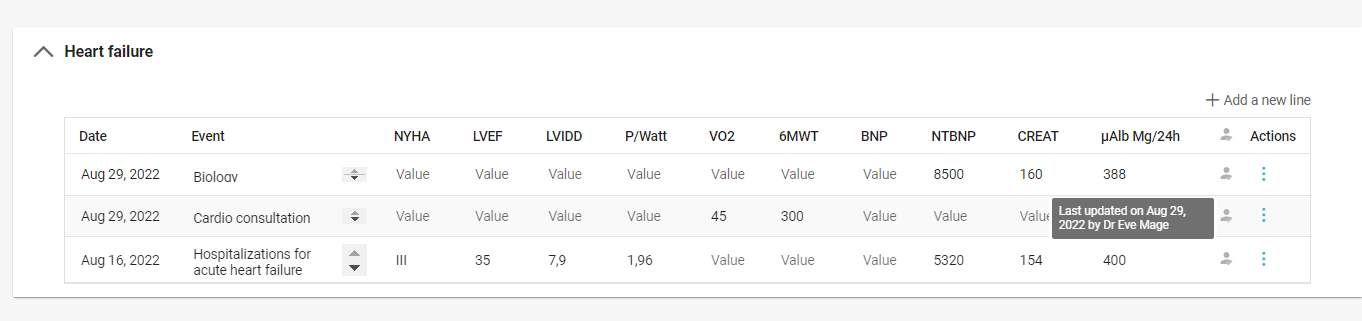
The third part is for heart failure to be completed manually by the medical team:
The last section is about the patient's treatments. You can:
- Select the medication ;
- Add the posology;
- Indicate the duration of the treatment;
- Add a comment.
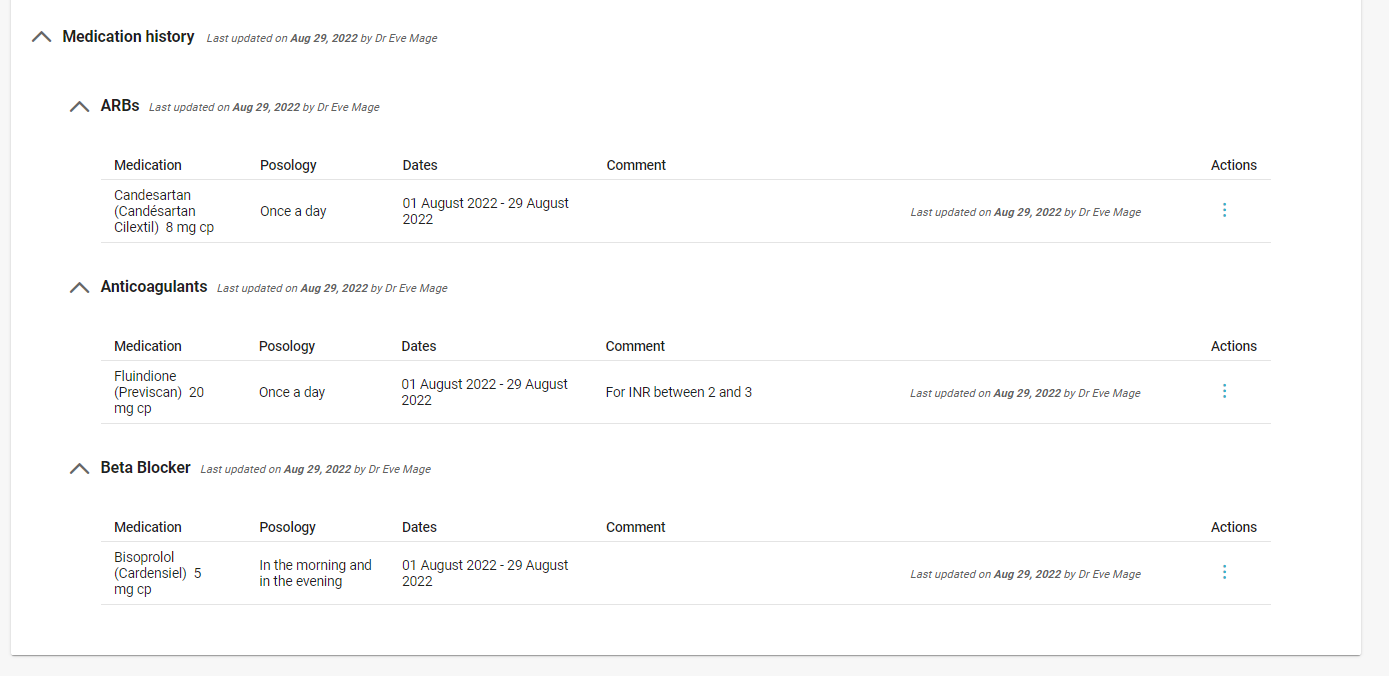
As soon as a change is made in this tab, it is indicated by whom and when the new item was added. This information will be taken into account in your monitoring and in-clinic reports.

Tips: When an anticoagulant (1) and/or the reliance on the device are informed (2), the icons on the top left of the patient become red. It is a visual shortcut that allows you to quickly follow-up the patient alerts. By clicking on these icons, you directly access to the "Clinical Data" tab.
It is recommended to fill out this information for an optimal follow-up of the patient when you receive an alert.