Activation of patients on Implicity
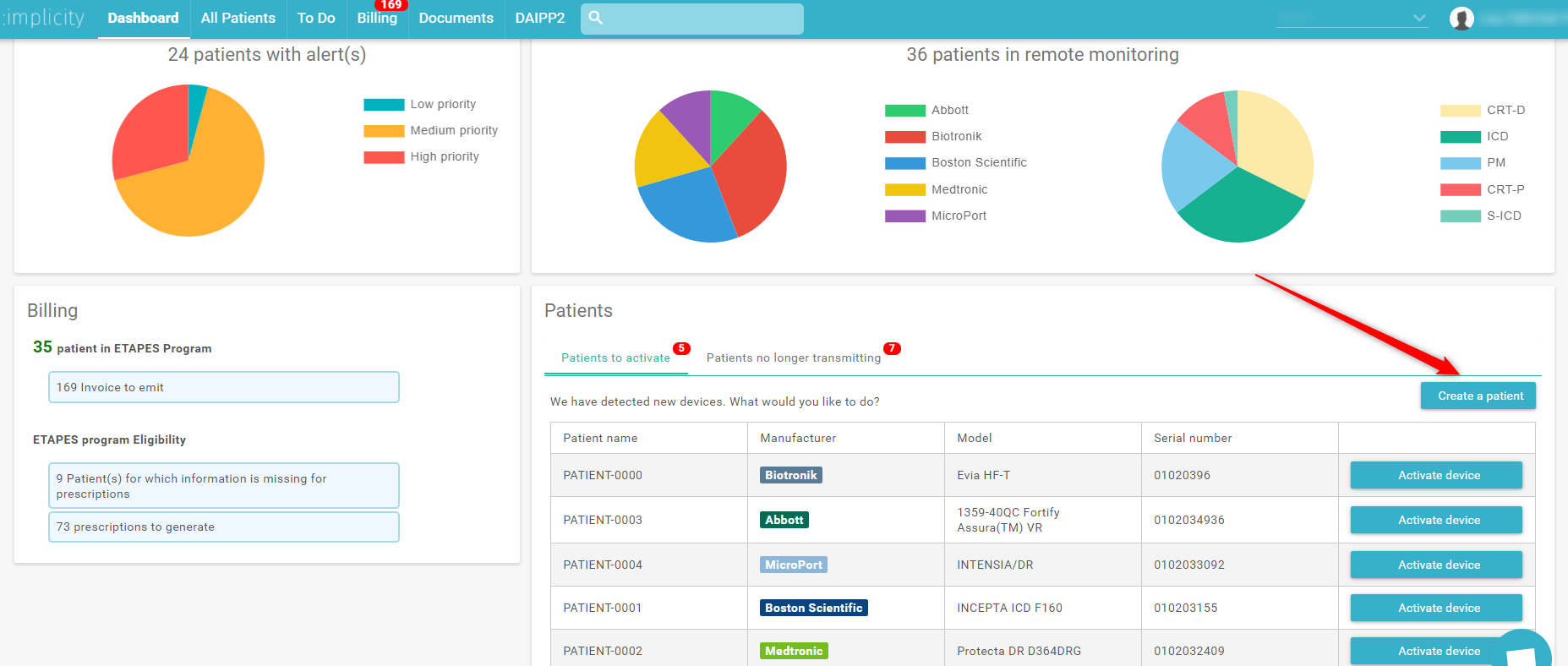
When the patient has just been registered on one of the manufacturers' websites, you can activate a patient from the Implicity dashboard in the “Patients to activate” tab.

Thanks to the activation of a patient, you may:
- Create a new profile in order to receive alerts on Implicity for this patient
- Assign a new device on an exciting profile for a change out
- Fill out administrative information necessary for invoicing
Creating a new profile
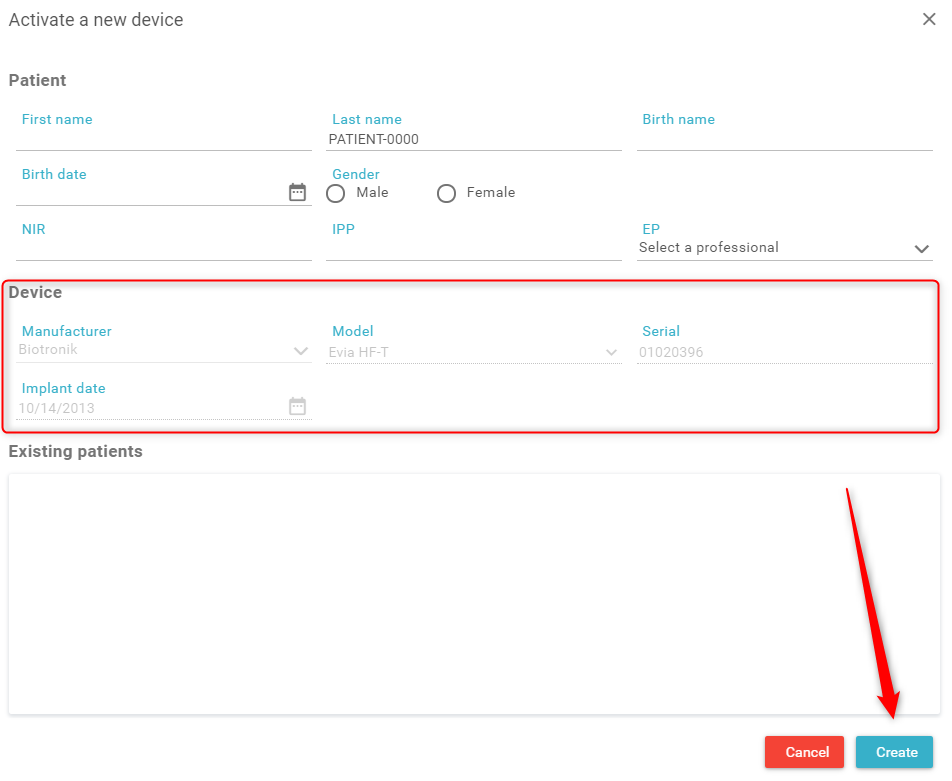
If it is the patient's first implant, click on "Activate device" and then "Create". Thea autofilled elements are taken from the manufacturer's sites.
Assign a device
If it is a device change out, and the patient's profile already exists on Implicity, the software will recognize the profile from the patient's "Last Name" field.
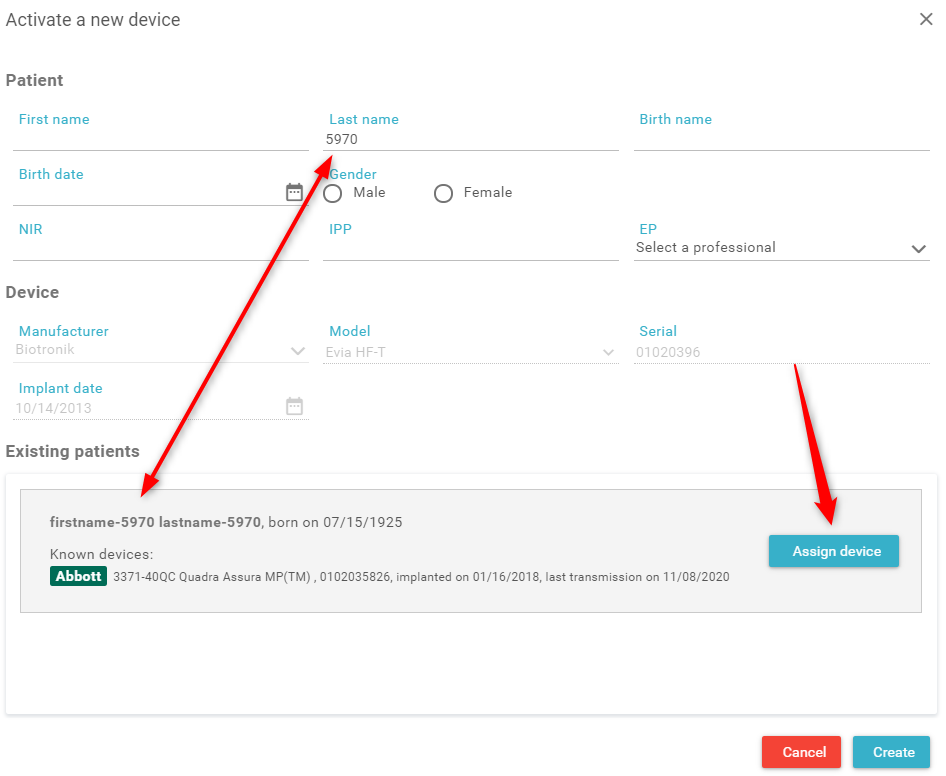
Note : if the Name field contains "First Name last name" the software may not recognize the existing patient profile. Please enter just the first name in this field.
Filling out information necessary for invoicing
We recommend that you fill in this information immediately upon activation. If you do not have access to this information, you can "Create a patient" before his implantation when it is easier for you. Click on "Create a patient".
The same window of information appears but the elements concerning the device are missing because they are not yet present on the manufacturer’s website.
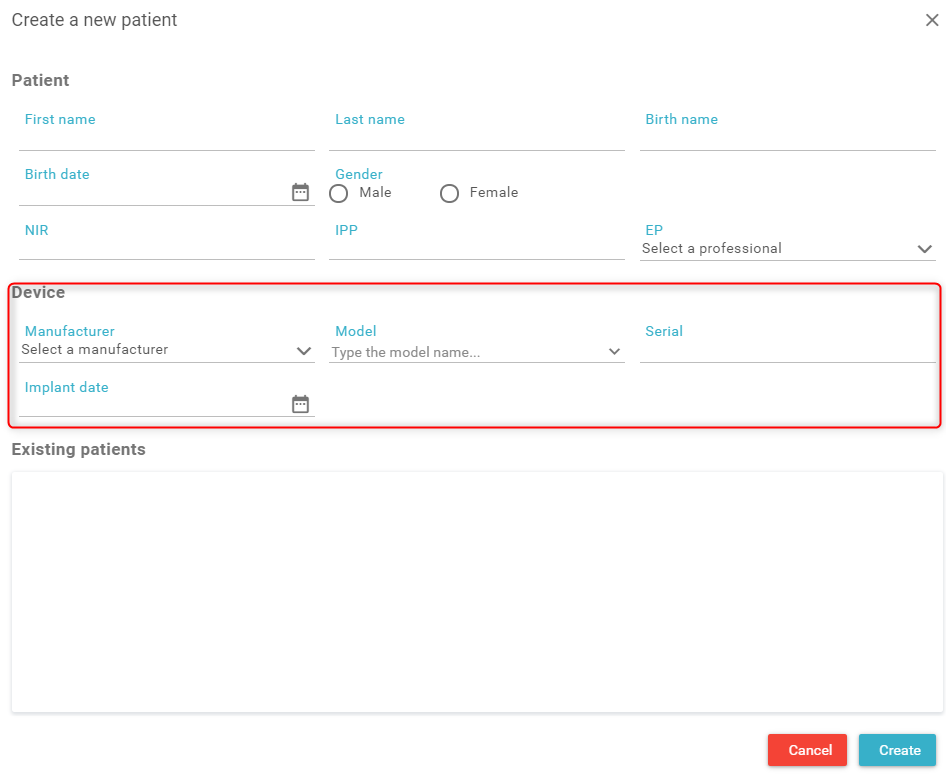 Note: if you create a patient manually, be careful to fill in the serial number correctly. Otherwise Implicity will not recognize the patient's device and you will not receive transmissions for that patient.