The "Actions" tab on Implicity is important for coordinating with the medical teams.
3 actions exist.
Request for review
After reviewing an EGM, you can request a physician or another staff member to review/confirm the assessment of the episode. Example: ask the physician for a patient review of an ATP episode to confirm if therapy was appropriate.
-
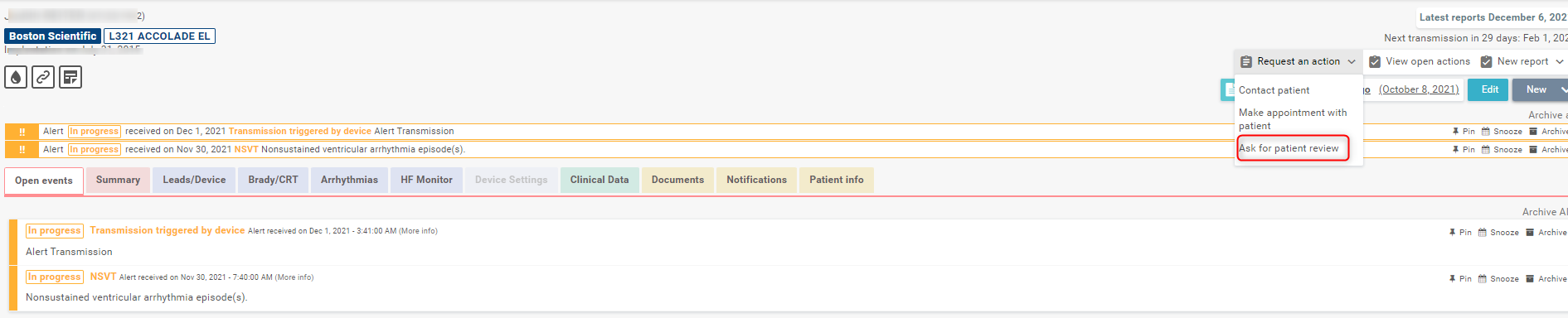
In the patient's profile, click on "Request an action" and then "Ask for patient review".
-
Select the EP or following physician responsible for the patient and add a comment if necessary.
-
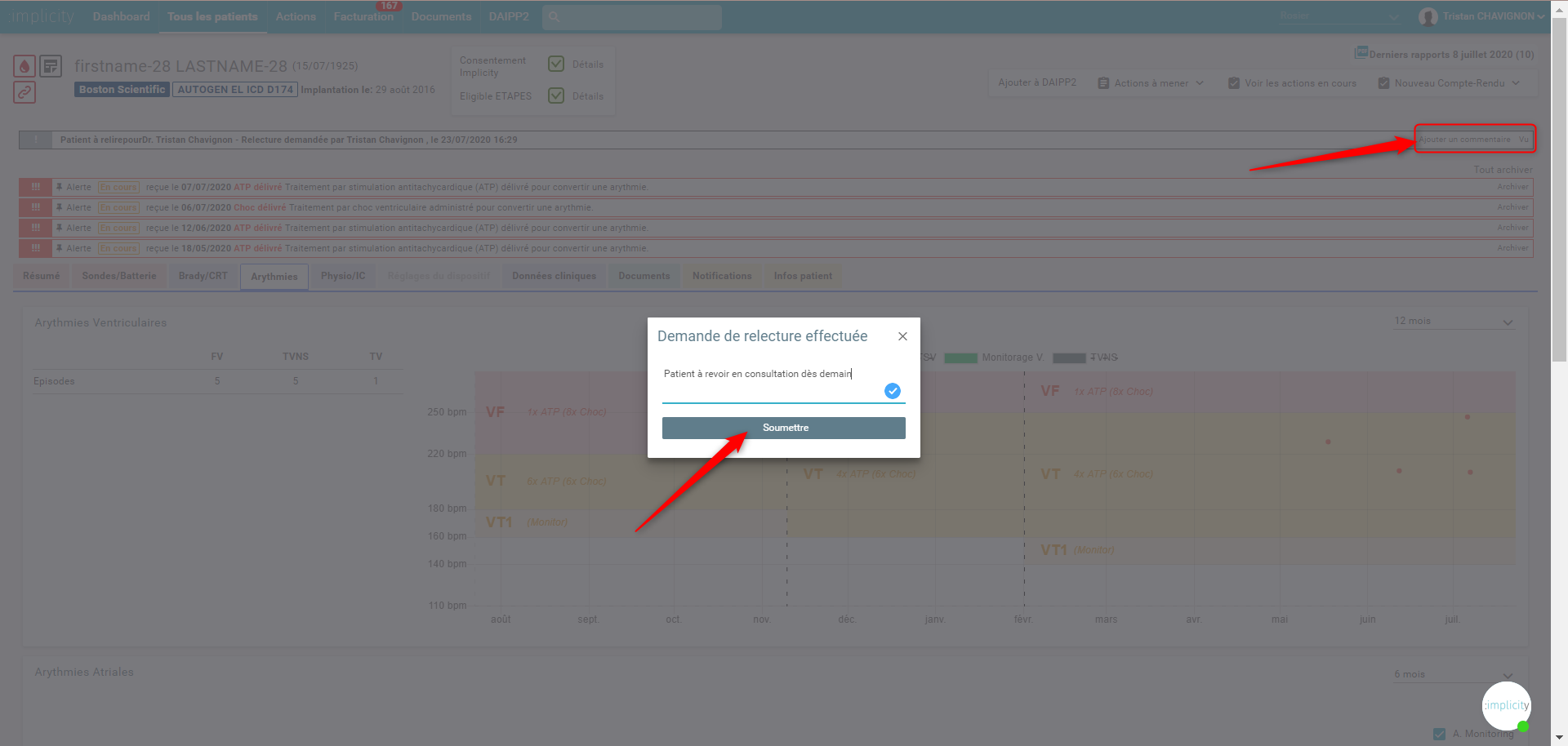
The request for a review appears on the top banner.

A link will be sent by email to the doctor which allows him to access directly to the patient’s profile.
After review, the doctor decided to see the patient during an emergency consultation for the next day. By inserting his comment, he can archive the request for review.
Contact the patient
With this action, you can request someone on your team to do an action with the patient.
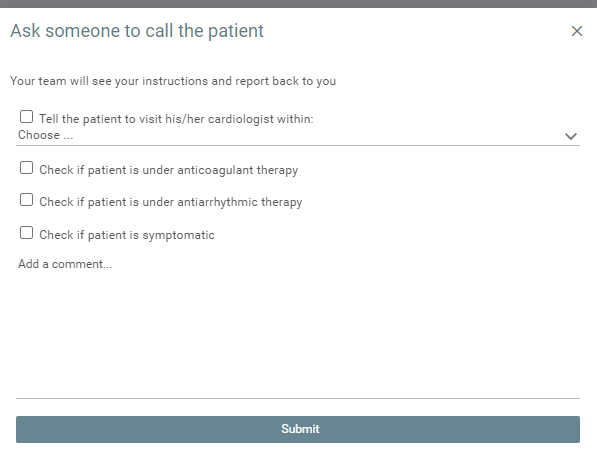
For example, the management of a patient in AF.
To make an appointment with the patient
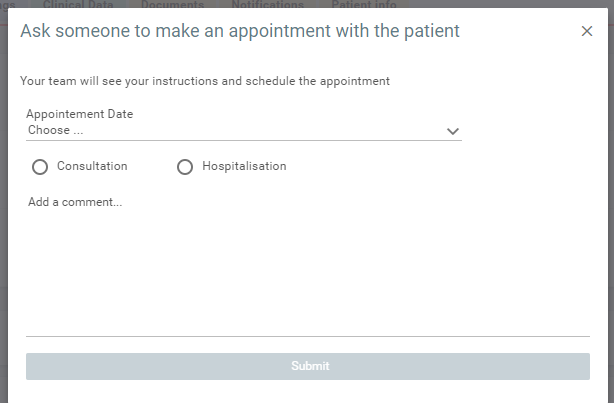
With this action, you can request someone on your team to make an appointment with the patient for the reasons listed on the desired date.
All ongoing or done actions can be found in the "Actions" section in the blue bar at the top. Filter this list to obtain the desired visualization ("to be processed" or "done"). Observe the archived comments.
Actions are visible from the "Summary" tab in the patient's chronology.